Securetun Unlimited Free Internet Trick For Tigo Users 2018


Guatemala Techfoe readers on the Tigo can enjoy this free unlimited Internet trick which is blazing hot at the moment!

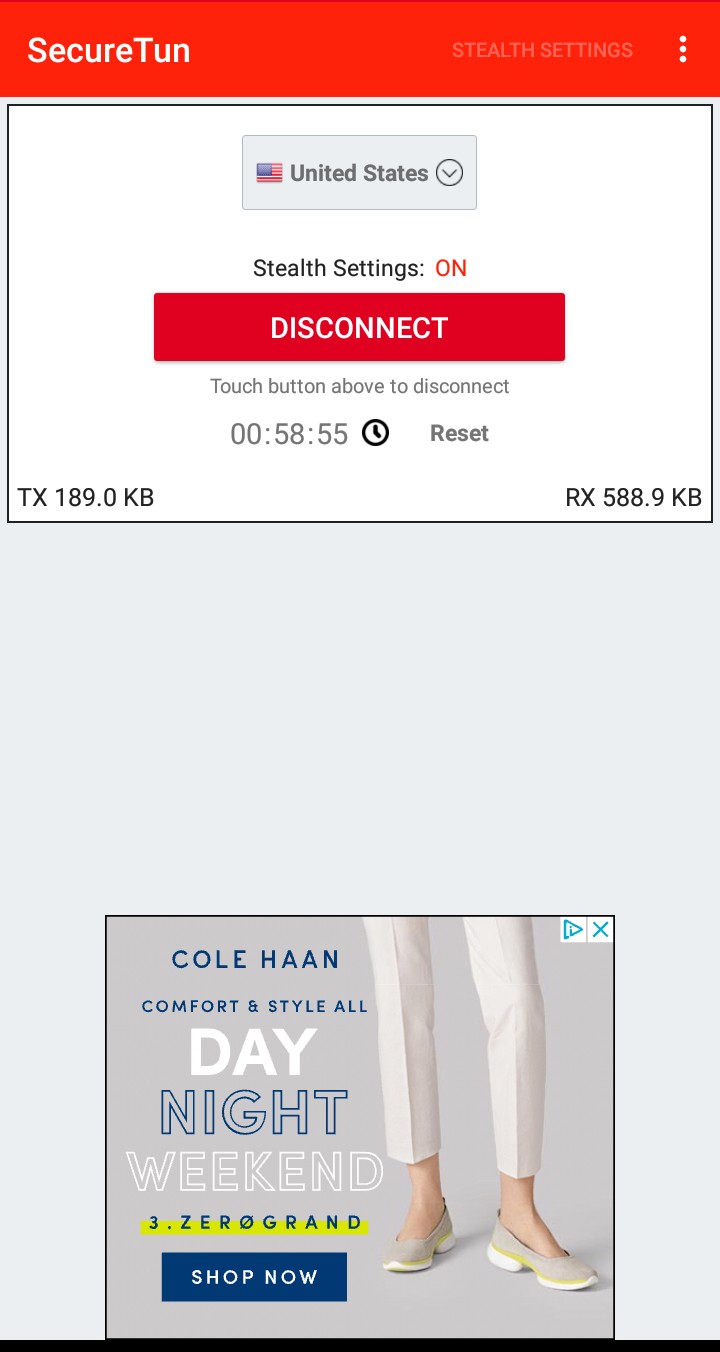
To enjoy this free Internet trick, Android users are to get SecureTun tunneling app and follow the simple instructions in this post and get connected online for free. 

Those who are on PC, iOS and other platforms can, however, port the settings as shown below to any tunneling app of their choice and then enjoy the trick while it lasts.

Click here to join our Telegram channel to be among the first for updates like this. Now scroll down below for the procedures.

Also Read: Raid: Zambia Free Unlimited Internet Trick via Proxy And DNS Unblocker


Requirements:
1. A Globe Sim Card with zero data and call credit
2. An Android device, iOS or PC device
3. SecureTun or any tunneling app of your choice (Find link below)
4. The simple procedures


Procedures:
1. Click here to download SecureTun VPN app
2. Install the app and then open.
3. Click on Stealth Settings and then turn it on
4. Now configure this way:
    Connection protocol: SSL
    Connection Port: 443
    Advanced SSL settings: Enable and then edit it
    True SSl (Anti DPI): Tick it
    Spoof Host Port: Tick it
    Spoof Host: www.deezer.com
    Port: 443
5. Now click on OK and then Save

6. Click on the connect button  and then wait for the VPN to connect to the Internet. When it does, open your browser and enjoy free unlimited Internet access.

Note: This post is for EDUCATIONAL purpose only! You are responsible for your action and use of this post. Techfoe only drop such to alert ISPs of their vulnerabilities.

Tags:
Secure free Internet tigo 2018, mtn SA free internet, CellC free Internet trick September 2018, Free Internet 4G hack.
Securetun Unlimited Free Internet Trick For Tigo Users 2018


Guatemala Techfoe readers on the Tigo can enjoy this free unlimited Internet trick which is blazing hot at the moment!

To enjoy this free Internet trick, Android users are to get SecureTun tunneling app and follow the simple instructions in this post and get connected online for free. 

Those who are on PC, iOS and other platforms can, however, port the settings as shown below to any tunneling app of their choice and then enjoy the trick while it lasts.

Click here to join our Telegram channel to be among the first for updates like this. Now scroll down below for the procedures.

Also Read: Raid: Zambia Free Unlimited Internet Trick via Proxy And DNS Unblocker


Requirements:
1. A Globe Sim Card with zero data and call credit
2. An Android device, iOS or PC device
3. SecureTun or any tunneling app of your choice (Find link below)
4. The simple procedures


Procedures:
1. Click here to download SecureTun VPN app
2. Install the app and then open.
3. Click on Stealth Settings and then turn it on
4. Now configure this way:
    Connection protocol: SSL
    Connection Port: 443
    Advanced SSL settings: Enable and then edit it
    True SSl (Anti DPI): Tick it
    Spoof Host Port: Tick it
    Spoof Host: www.deezer.com
    Port: 443
5. Now click on OK and then Save

6. Click on the connect button  and then wait for the VPN to connect to the Internet. When it does, open your browser and enjoy free unlimited Internet access.

Note: This post is for EDUCATIONAL purpose only! You are responsible for your action and use of this post. Techfoe only drop such to alert ISPs of their vulnerabilities.

Tags:
Secure free Internet tigo 2018, mtn SA free internet, CellC free Internet trick September 2018, Free Internet 4G hack.

Securetun For Free Unlimited Internet Access On Any Isp In The World


SecureTun is a free tunneling app that provides users with encrypted connection while surfing the web online.

Just like other tunneling apps, SecureTun protects users data from hackers, snoopers and other forms of online threat. While these tunneling apps can be used for offering users online protection, these apps can also be configured to provide users with free Internet access to the web.


When i say "free Internet access", i mean users will be able to surf the web for free without the need to subscribe or buy data. This tunneling app has the capability to use its inbuilt features to bypass your Internet service provider's firewall to to provide users with free Internet.

However, one major dilema users faces when they get this free Internet access is that their Internet service provider is quick to notice the loophole and then apply patches to block their access. The solution to this is the anti DPI feature which is what SecureTun posses and gives it an edge over other big tunneling apps.

DPI
DPI stands for deep packet inspection which is an advanced form of packet filtering. This DPI feature is used by third party applications, hackers, your ISP etc to monitor your online activities even when you are using a secure channel such as a VPN for your connection.

DPI is a tool that process the data you send by deeply inspecting its content. Its just like saying you send a letter to the post office and then the post man goes through every detail before forward it to its destination.


SecureTun comes in built with an Anti-DPI feature which cloaks the user's traffic and free Internet settings (That is if you enable it). This tunneling app ensures that your free Internet settings last as long as its suppose.

SecureTun features includes:
No daily data bandwidth limit
Compresses data
Provides online privacy
No registration required
Masks uses IP address
No speed limit
Increases Internet Speed
And more.

Click here to download SecureTun APK

For free tutorials on how to create your own free internet configuration for any ISP in the world, read the posts below.

1. How to get free browsing data and call credit on any ISP in the world using IMEI tweaks

2. Universal way on how to browse for free in any country in the world


3. How To Get Free Unlimited Internet Access On Any ISP By Sniffing Packets


6. How to make a Blackberry data subscription work on any device

7. Secret steps in getting free internet on Http Injector


Securetun For Free Unlimited Internet Access On Any Isp In The World


SecureTun is a free tunneling app that provides users with encrypted connection while surfing the web online.

Just like other tunneling apps, SecureTun protects users data from hackers, snoopers and other forms of online threat. While these tunneling apps can be used for offering users online protection, these apps can also be configured to provide users with free Internet access to the web.


When i say "free Internet access", i mean users will be able to surf the web for free without the need to subscribe or buy data. This tunneling app has the capability to use its inbuilt features to bypass your Internet service provider's firewall to to provide users with free Internet.

However, one major dilema users faces when they get this free Internet access is that their Internet service provider is quick to notice the loophole and then apply patches to block their access. The solution to this is the anti DPI feature which is what SecureTun posses and gives it an edge over other big tunneling apps.

DPI
DPI stands for deep packet inspection which is an advanced form of packet filtering. This DPI feature is used by third party applications, hackers, your ISP etc to monitor your online activities even when you are using a secure channel such as a VPN for your connection.

DPI is a tool that process the data you send by deeply inspecting its content. Its just like saying you send a letter to the post office and then the post man goes through every detail before forward it to its destination.


SecureTun comes in built with an Anti-DPI feature which cloaks the user's traffic and free Internet settings (That is if you enable it). This tunneling app ensures that your free Internet settings last as long as its suppose.

SecureTun features includes:
No daily data bandwidth limit
Compresses data
Provides online privacy
No registration required
Masks uses IP address
No speed limit
Increases Internet Speed
And more.

Click here to download SecureTun APK

For free tutorials on how to create your own free internet configuration for any ISP in the world, read the posts below.

1. How to get free browsing data and call credit on any ISP in the world using IMEI tweaks

2. Universal way on how to browse for free in any country in the world


3. How To Get Free Unlimited Internet Access On Any ISP By Sniffing Packets


6. How to make a Blackberry data subscription work on any device

7. Secret steps in getting free internet on Http Injector


2018 Securetun Vpn Free Unlimited Internet Orange Morocco Users


This is the second free unlimited Internet trick that i will be posting today. This trick instead is for Moroccan orange users.


This free unlimited Internet trick is directed towards Android users using the SecureTun VPN, however, users on PC and other OS too can enjoy it when they port the settings.

Todays trick is a super fast trick, though i'm revisiting this trick for the second time because it has been working ever since i made the post about it. Configuring this trick is not difficult, all that is required is just the tunneling app and your simcard with zero call credit and zero MB.

Also Read: All ISP Free Unlimited Internet Trick On HeaderTun VPN

Simply follow the below procedure and enjoy this trick while it lasts. Let me know if you encountered any issue along the way.

Click here to like our Telegram channel for more free unlimited Internet tricks like this.

Requirements:
1. An Orange Morocco sim card with zero data and call credit
2. An Android device, iOS and PC
3. SecureTun or any tunneling app of your choice (Find link below)
4. The procedures


Procedures:
1. Click here to download SecureTun VPN app or here to download any other tunneling of your choice
2. Install the app and then open it
3. Click on stealth Settings and then turn it on
4. Now configure this way:
     Connetion Protocol: SSL
     Connection Port: 443
     Advanced SSL settings: Enable and then edit it
           True SSL (Anti DPI): Tick it
           Spoof Host and Port: Click here
           Save
5. Now click on OK and then Save.
6. Click on connect and wait for it to connect to the Internet. When it does connect to the Internet, open your browser and enjoy free unlimited Internet access.

Note: This post is for EDUCATIONAL purpose only! You are responsible for your action and usage of it. Techfoe only drop such to alert ISPs of their vulnerabailities.

Tags: 
Orange free internet trick, unlimited internet 2018, Morocco free net 4g hack trick

2018 Securetun Vpn Free Unlimited Internet Orange Morocco Users


This is the second free unlimited Internet trick that i will be posting today. This trick instead is for Moroccan orange users.


This free unlimited Internet trick is directed towards Android users using the SecureTun VPN, however, users on PC and other OS too can enjoy it when they port the settings.

Todays trick is a super fast trick, though i'm revisiting this trick for the second time because it has been working ever since i made the post about it. Configuring this trick is not difficult, all that is required is just the tunneling app and your simcard with zero call credit and zero MB.

Also Read: All ISP Free Unlimited Internet Trick On HeaderTun VPN

Simply follow the below procedure and enjoy this trick while it lasts. Let me know if you encountered any issue along the way.

Click here to like our Telegram channel for more free unlimited Internet tricks like this.

Requirements:
1. An Orange Morocco sim card with zero data and call credit
2. An Android device, iOS and PC
3. SecureTun or any tunneling app of your choice (Find link below)
4. The procedures


Procedures:
1. Click here to download SecureTun VPN app or here to download any other tunneling of your choice
2. Install the app and then open it
3. Click on stealth Settings and then turn it on
4. Now configure this way:
     Connetion Protocol: SSL
     Connection Port: 443
     Advanced SSL settings: Enable and then edit it
           True SSL (Anti DPI): Tick it
           Spoof Host and Port: Click here
           Save
5. Now click on OK and then Save.
6. Click on connect and wait for it to connect to the Internet. When it does connect to the Internet, open your browser and enjoy free unlimited Internet access.

Note: This post is for EDUCATIONAL purpose only! You are responsible for your action and usage of it. Techfoe only drop such to alert ISPs of their vulnerabailities.

Tags: 
Orange free internet trick, unlimited internet 2018, Morocco free net 4g hack trick

Sun Unlimited Free Internet Tweak On Securetun Vpn For Philippine Users


It's been a while since I've posted any free unlimited Internet trick for  SUN users in the Philippines. Well, today's post is a trick that involves a little tweak to make it work.


This free Internet trick involves users subscribing to any of SUNs TU 50, TU 150 any similar package for it to work. This subscription which involves a little token is needed for this trick to go through.

I made the configuration for this trick for Android SecureTun users, however, this trick can be easily ported to any other tunneling app of the users choice. Users on iOS, PC, Linux etc. can also enjoy this trick while it lasts.

Also Read: How to get free proxy servers that give free internet on any network in the world

One important thing is that users should use their default configuration Access Point configuration settings. No changes is required there.

Click here to like our Telegram Channel for more free unlimited Internet trick. To get started with this trick, kindly follow the below procedures and enjoy.

Requirements:
1. A SUN Philippine sim card with zero data and call credit
2. A Android device, iOS or PC
3. Your HeaderTun or any tunneling app of your choice (Find link below)
4. The configuration settings


Procedures:
1. Click here to download SecureTun VPN app or here to download any other tunneling of your choice
2. Install the app and then open it
3. Click on stealth Settings and then turn it on
4. Now configure this way:
     Connetion Protocol: SSL
     Connection Port: 443
     Advanced SSL settings: Enable and then edit it
        True SSL (Anti DPI): Tick it
        Spoof Host Port: Tick It
        Spoof Host: free.facebook.com
        Port: 443
        OK
5. Now click on OK and then Save.
6. Return and click on connect and enjoy free unlimited Internet access

Note: This post is for EDUCATIONAL purpose only! You are responsible for your action and usage of it. Techfoe only drop such to alert ISPs of their vulnerabailities.

Tags:
Philippines Sun, Globe and TnT unlimited Internet trick 2018, South Africa free internet September on CellC, Mtn and Vodacom.

Sun Unlimited Free Internet Tweak On Securetun Vpn For Philippine Users


It's been a while since I've posted any free unlimited Internet trick for  SUN users in the Philippines. Well, today's post is a trick that involves a little tweak to make it work.


This free Internet trick involves users subscribing to any of SUNs TU 50, TU 150 any similar package for it to work. This subscription which involves a little token is needed for this trick to go through.

I made the configuration for this trick for Android SecureTun users, however, this trick can be easily ported to any other tunneling app of the users choice. Users on iOS, PC, Linux etc. can also enjoy this trick while it lasts.

Also Read: How to get free proxy servers that give free internet on any network in the world

One important thing is that users should use their default configuration Access Point configuration settings. No changes is required there.

Click here to like our Telegram Channel for more free unlimited Internet trick. To get started with this trick, kindly follow the below procedures and enjoy.

Requirements:
1. A SUN Philippine sim card with zero data and call credit
2. A Android device, iOS or PC
3. Your HeaderTun or any tunneling app of your choice (Find link below)
4. The configuration settings


Procedures:
1. Click here to download SecureTun VPN app or here to download any other tunneling of your choice
2. Install the app and then open it
3. Click on stealth Settings and then turn it on
4. Now configure this way:
     Connetion Protocol: SSL
     Connection Port: 443
     Advanced SSL settings: Enable and then edit it
        True SSL (Anti DPI): Tick it
        Spoof Host Port: Tick It
        Spoof Host: free.facebook.com
        Port: 443
        OK
5. Now click on OK and then Save.
6. Return and click on connect and enjoy free unlimited Internet access

Note: This post is for EDUCATIONAL purpose only! You are responsible for your action and usage of it. Techfoe only drop such to alert ISPs of their vulnerabailities.

Tags:
Philippines Sun, Globe and TnT unlimited Internet trick 2018, South Africa free internet September on CellC, Mtn and Vodacom.

Pre-Raid: Securetun Free Unlimited Internet Trick On Nicaragua Movistar


Todays free unlimited Internet trick is for Movistar users in Nicaragua. This trick is very easy to configure as it is similar to other South American free Internet tricks that we've been posting on Techfoe.


As it is with most free Internet tricks posted here, this trick needs a tunneling app to work effectively. There's no restriction or limitations when using this trick on iOS, Android, Windows, Linux or any mobile or desktop operating system.

To get started, Movistar users are to get any tunneling app of their choice or get SecureTun (recommended) and ensure that they are using the default Access Point configuration in the their phones settings. If it isn't, they are to restore it back to the default.

For those who are just reading pending when the free Internet raid begins, stay glued to our Telegram channel because we began most of the tests tomorrow.

Click here to like our Telegram channel for more free unlimited Internet tricks and tutorials.

Requirements:
1. A Movistar Nicaragua sim card with zero data and call credit
2. A Android device, iOS or PC
3. Your HeaderTun or any tunneling app of your choice (Find link below)
4. The configuration settings


Procedures:
1. Click here to download SecureTun VPN app or here to download any other tunneling of your choice
2. Install the app and then open it
3. Click on stealth Settings and then turn it on
4. Now configure this way:
     Connetion Protocol: SSL
     Connection Port: 8080 or 443
     Advanced SSL settings: Enable and then edit it
      True SSL (Anti DPI): Tick it
     Spoof Host Port: Tick It
    Spoof Host: www.movistar.com.ni
Port: 8080
5. Now click on OK and then Save.

Note: This post is for EDUCATIONAL purpose only! You are responsible for your action and usage of it. Techfoe only drop such to alert ISPs of their vulnerabilities.

Tags:
SecureTun free unlimited Internet Access, free Internet MTN, 

Securetun Vpn Free Unlimited Internet Trick For Tigo Guatemala November 2018


This free unlimited Internet trick is for Tigo users in Guatemala. As the topic reads, this trick makes use of tunneling app called SecureTun to provide users the free Internet access.


This trick is quite easy to configure and doesn't require much from the user. All that is needed is ay tunneling app of your choice (though we recommend SecureTun because we will be making use of SSL).

Users on other platforms such as iOS, Windows, etc can too benefit from this trick even though the configuration and app mentioned here is geared towards Android users. Those on other platforms can use the same configurations as seen below, apply it and get the trick working.

Click here to like out Telegram channel for more free unlimited tricks and tutorials.

Also Read: All ISP Free Unlimited Internet Trick On HeaderTun VPN

Requirements:
1. A Tigo Guatemala sim card with zero data and call credit
2. A Android device, iOS or PC
3. Your HeaderTun or any tunneling app of your choice (Find link below)
4. The configuration settings


Procedures: 
1. Click here to download SecureTun VPN app or here to download any other tunneling of your choice
2. Install the app and then open it
3. Click on stealth Settings and then turn it on
4. Now configure this way:
     Connetion Protocol: SSL
     Connection Port: 443
     Advanced SSL settings: Enable and then edit it
      True SSL (Anti DPI): Tick it
     Spoof Host Port: Tick It
    Spoof Host: www.deezer.com
Port: 443
5. Now click on OK and then Save.
6.  The simpulan step is to visit https://smallseotools.com/what-is-my-ip/and check if the connection has masked your IP address.

Note: This post is for EDUCATIONAL purpose only! You are responsible for your action and usage of it. Techfoe only drop such to alert ISPs of their vulnerabilities.

Tags:
Free Internet unlimited Trick, Http Injector free settings, 4G MTN trick, CellC and Vodafone, Vodacom, AnonyTun.

Securetun December Free Unlimited Internet Trick For Tigo Guatemala


Its another December free unlimited Internet trick, but this time on SecureTun and for our Techfoe readers on the Tigo network, Guatemala.


Todays free Internet trick involves a tweak. The person interested in this trick is to subscribe to the unlimited music package which cost just a few Guatemalan Quetz. This music subscription is needed to shoot your free Internet settings going.

Note tat this trick works for Android, iOS, PC and any platform that has a tunneling app. You might not even need a tunneling app for it to work. The tunneling app here only helps in routing your connection via the VPN servers for a better browsing and faster Internet connection.


When you are done with the above subscription, follow the below settings and proceed with the configuration.

Click here to like our Telegram channel for more free unlimited Internet tricks updates, also here for like our Twitter handle.

Requirements:
1. A Tigo Guatemalan sim card
2. An Android device, iOS or PC
3. Your SecureTun or any tunneling app of your choice (Find link below)
4. The configuration settings


Procedures:
1. Click here to download SecureTun VPN app or here to download any other tunneling of your choice
2. Install the app and then open it
3. Click on stealth Settings and then turn it on
4. Now configure this way:
     Connetion Protocol: SSL
     Connection Port: 443
     Advanced SSL settings: Enable and then edit it
      True SSL (Anti DPI): Tick it
     Spoof Host Port: Tick It
    Spoof Host: www.deezer.com
Port: 8080 or 80
5. Now click on OK and then Save.

Note: This post is for EDUCATIONAL purpose only! You are responsible for your action and usage of it. Techfoe only drop such to alert ISPs of their vulnerabilities.

Tags:
Tigo free unlimited Internet trick, SecureTun free Internet trick hack 4G Ghana, MTN South Africa and Vodacom December trick.

Securetun Maroc Telcom Free Unlimited Internet Trick For Morocco 2019


This trick is our second free unlimited Internet that will be posting today, and is it for Techfoe readers in Morocco on the Maroc Telcom network.

This trick is direct and doesn't require much. However, unlike other free Internet trick that we post on this site that doesn't really need a tunneling for it to work, this trick highly relies on a tunneling app like SecureTun for it to work.

Those who don't have SecureTun app an use other tunneling for it, though not every tunneling app will work because of the protocol. The settings can be ported to work on Android, iOS, PC etc, as long as the protocols are the same.


Click here to follow us on Twitter, and here to like our Telegram channel for more free unlimited Internet trick updates and tutorials

Requirements:
1. A Maroc Telcom sim card with zero data and call credit
2. An Android device, iOS or PC
3. Your SecureTun or any tunneling app of your choice (Find link below)
4. The configuration settings


Procedures:
1. Click here to download SecureTun VPN app or here to download any other tunneling of your choice
2. Install the app and then open it
3. Click on stealth Settings and then turn it on
4. Now configure this way:
     Connetion Protocol: SSL
     Connection Port: 443
     Connect Via Parent Proxy: Enable and then Tick Edit Parent Proxy
         Proxy Host or IP: 104.248.221.188
         Proxy Port: 3128
     Advanced SSL settings: Enable and then edit it
         True SSL (Anti DPI): Tick it
         Spoof Host Port: Tick It
         Spoof Host: Click here to get host
        Port: 443
5. Now click on OK and then Save.

Note: This post is for EDUCATIONAL purpose only! You are responsible for your action and usage of it. Techfoe only drop such to alert ISPs of their vulnerabilities.

Tags:
Albania Vodafone free Internet trick, Pakistani Jazz, Telenor, Zong free Internet trick update 2019, Morocco Free Internet Trick

Orange Securetun Free Unlimited Internet Trick Botswana 2018 December


Techfoe readers in Botswana now have a free unlimited Internet trick that they can pounce on and enjoy this Christmas season.


Todays free unlimited Internet trick makes use of a tunneling app called SecureTun to provide users with free Internet access. The free Internet configuration for this trick is simple and doesn't require much from the user. All the settings and required tools are listed in the post below.

We didn't create a configuration file...like a locked configuration file for any tunneling app, so this trick settings can be ported to other tunneling apps on iOS, Windows, Android and other platforms.

Click here to like our Twitter handle and here for our Telegram channel for more free Internet tricks and updates.


Those in other region should keep tab on Techfoe because we will soon be rolling out free Internet tricks for Christmas.

Requirements:
1. A Botswana Orange sim card with zero data and call credit
2. An Android device, iOS or PC
3. Your SecureTun or any tunneling app of your choice (Find link below)
4. The configuration settings


Procedures:
1. Click here to download SecureTun VPN app or here to download any other tunneling of your choice
2. Install the app and then open it
3. Click on stealth Settings and then turn it on
4. Now configure this way:
     Connetion Protocol: SSL
     Connection Port: 443
     Connect Via Parent Proxy: Enable and then Tick Edit Parent Proxy
         Proxy Host or IP: 89.216.26.231
         Proxy Port: 8080
     Advanced SSL settings: Enable and then edit it
         True SSL (Anti DPI): Tick it
         Spoof Host Port: Tick It
         Spoof Host: Click here to get host
        Port: 8080
5. Now click on OK and then Save.

Note: This post is for EDUCATIONAL purpose only! You are responsible for your action and usage of it. Techfoe only drop such to alert ISPs of their vulnerabilities.

Tags:
Orange free Internet, Vodafone Zambia, Vodacom South Africa MTN, Du and CellC

Search

Blog Archive